AIDC Fabric
Asteria AIDC Controller
The AIDC Controller is a high-performance network management platform specifically designed for AI data centers. It supports full-scenario deployment
across backend, frontend, storage, and DC-converged networks.
AIDC Fabric
Asteria AIDC Controller
- Smart Pre-design
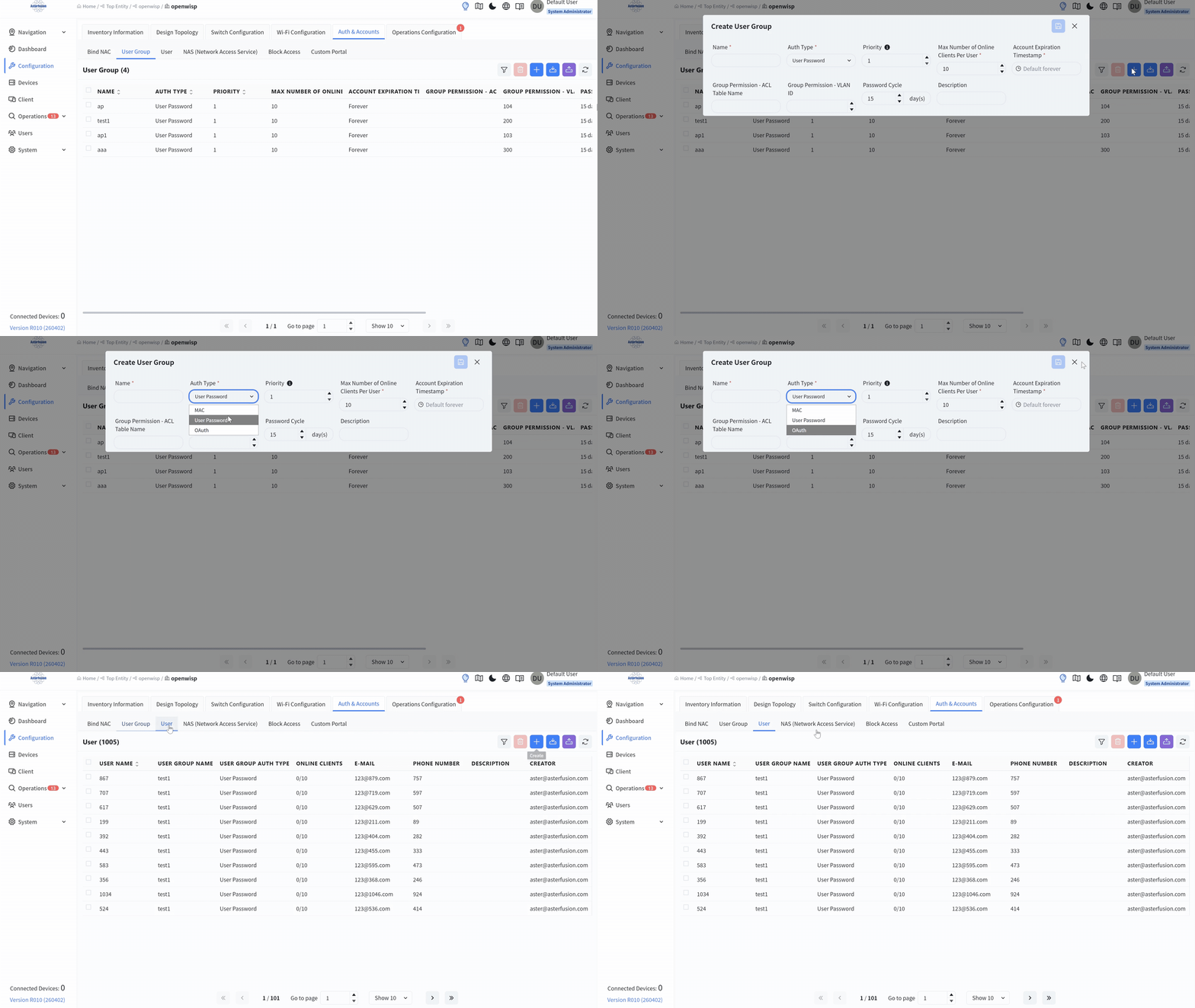
- ZTP
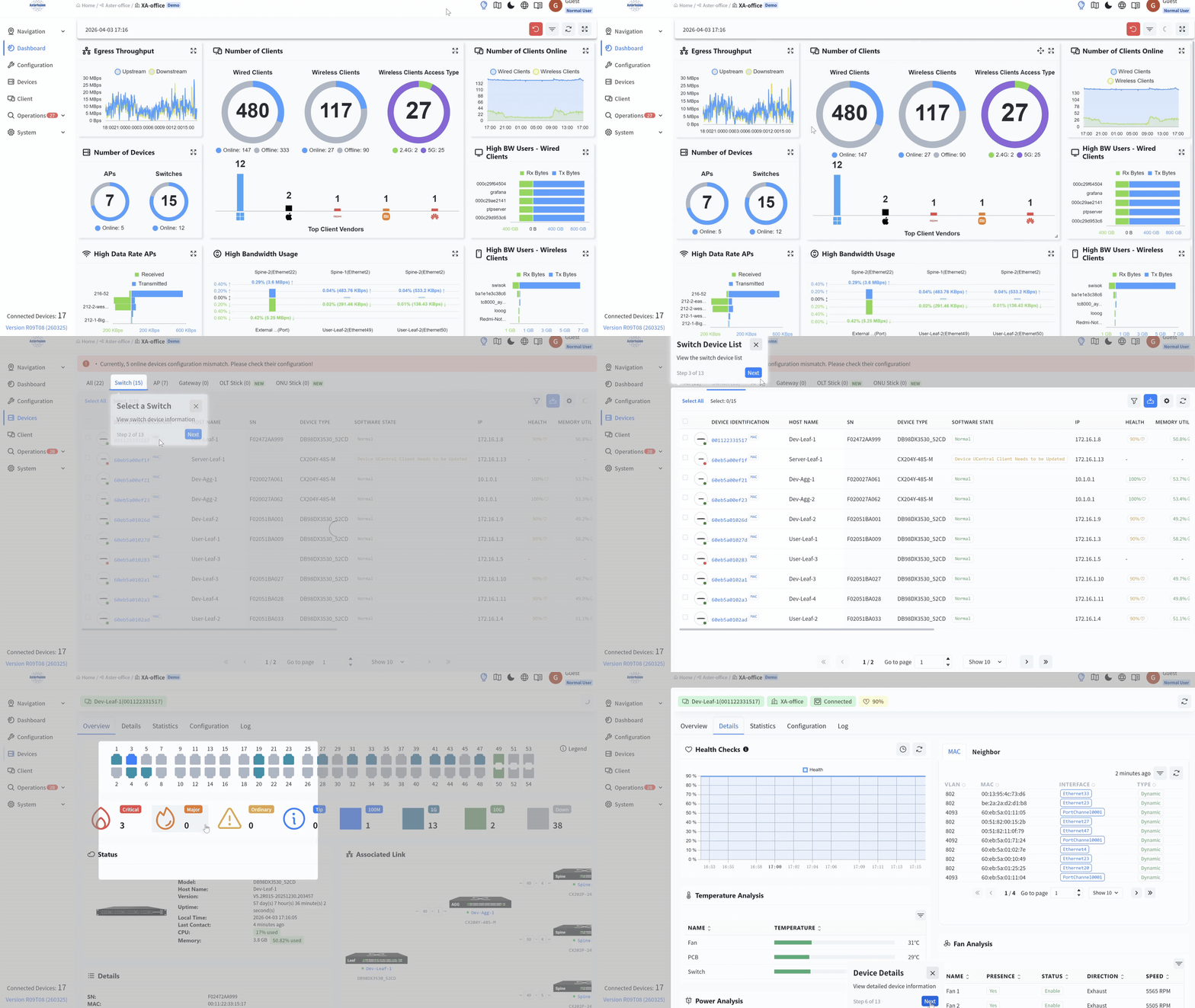
- Multi-Dimensional Monitoring
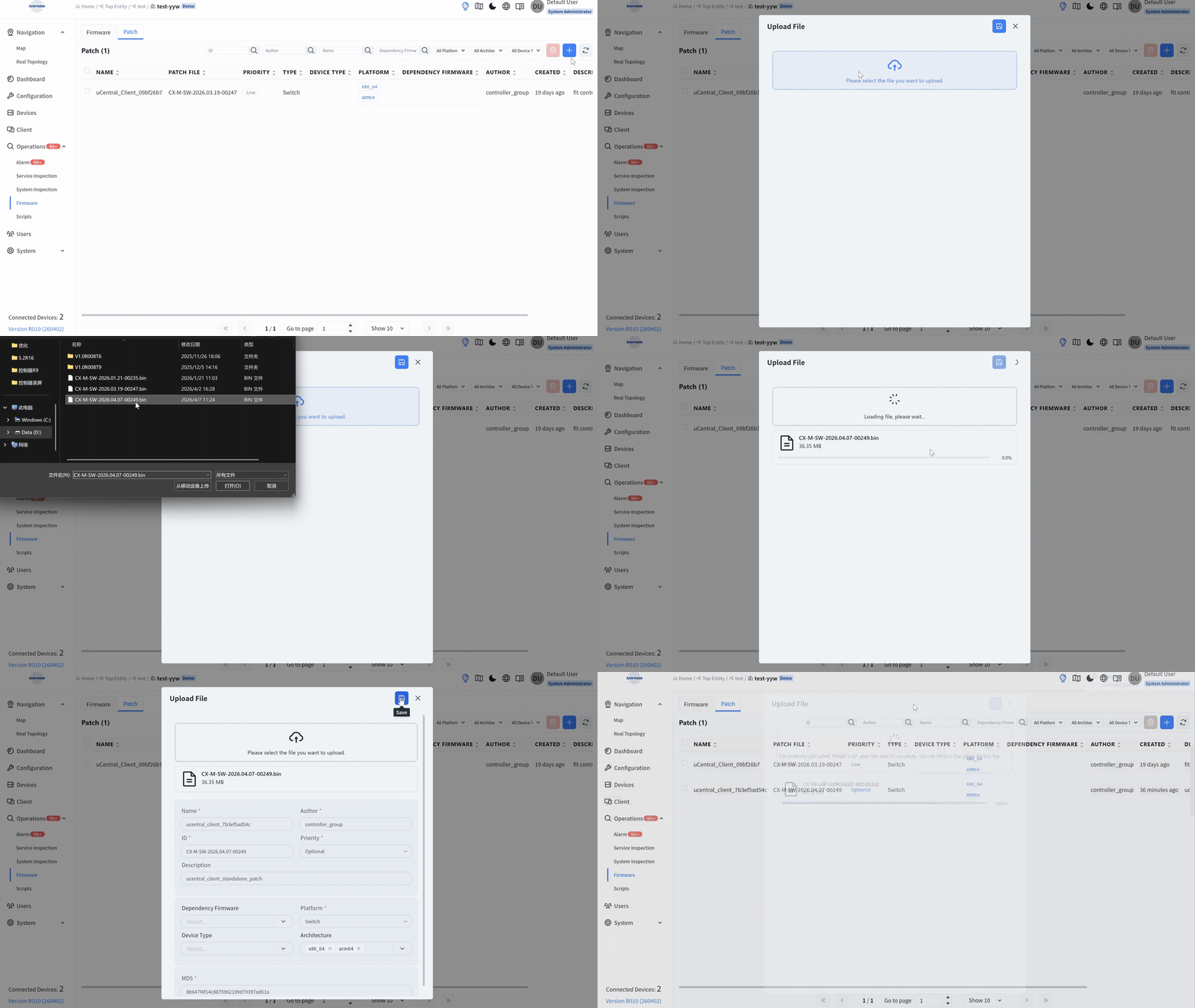
- One-Click Updates
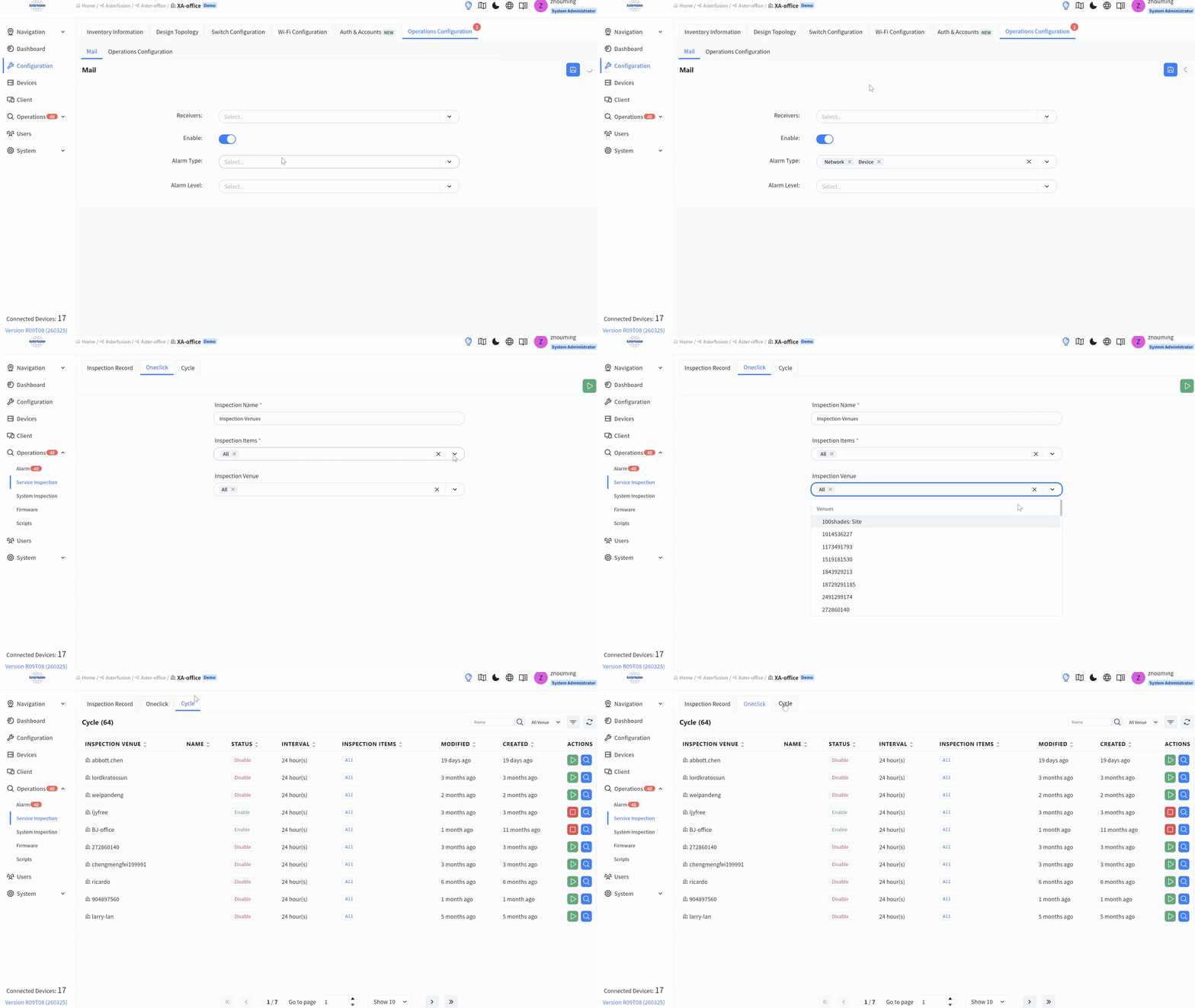
- Intelligent Alarm
- Periodic Inspection
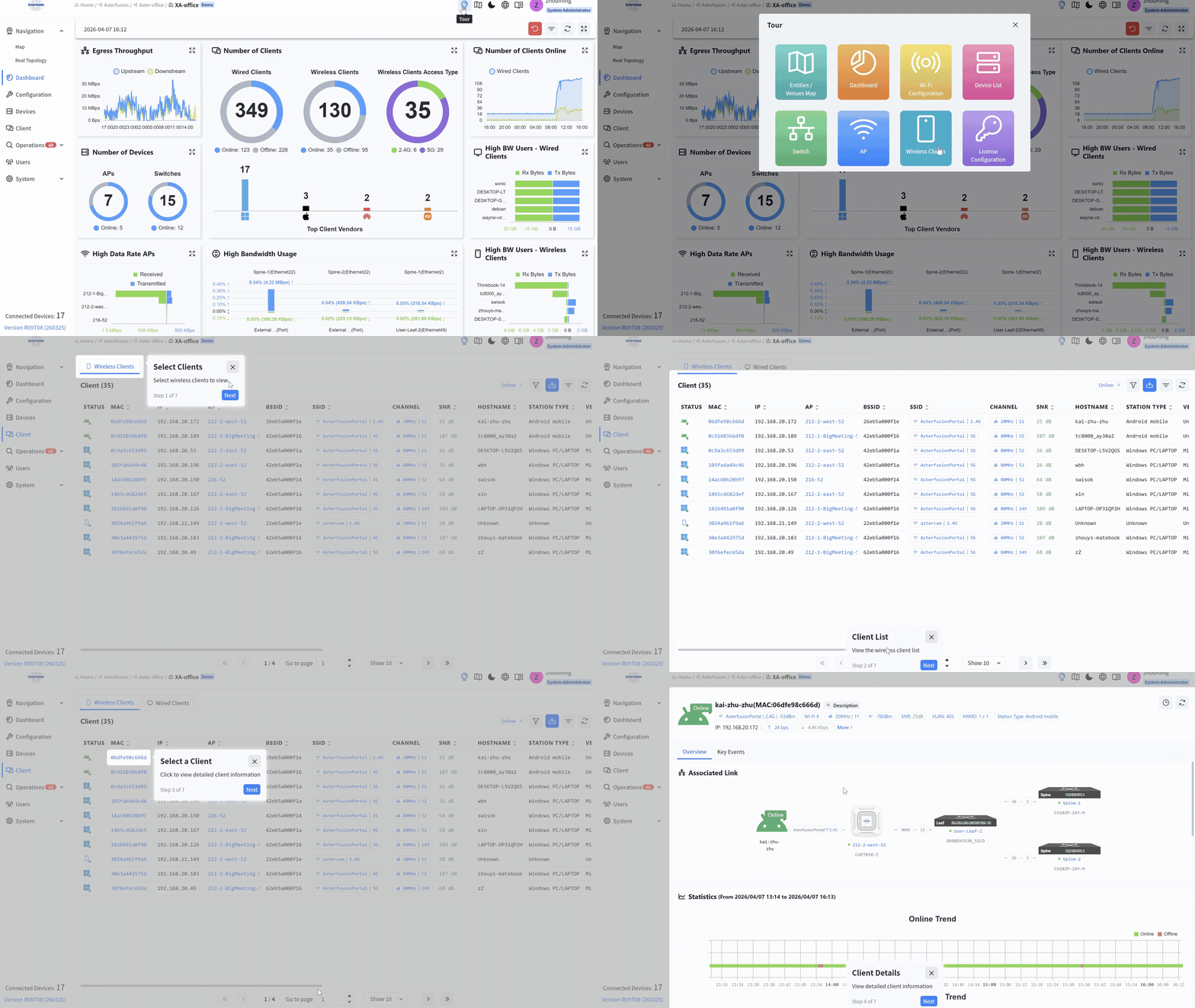
Centralized management for your entire campus infrastructure, from APs
and switches to routers and integrated PON networks.

Asteria AIDC Controller
Function Highlights
Asteria AIDC Controller
Function Highlights
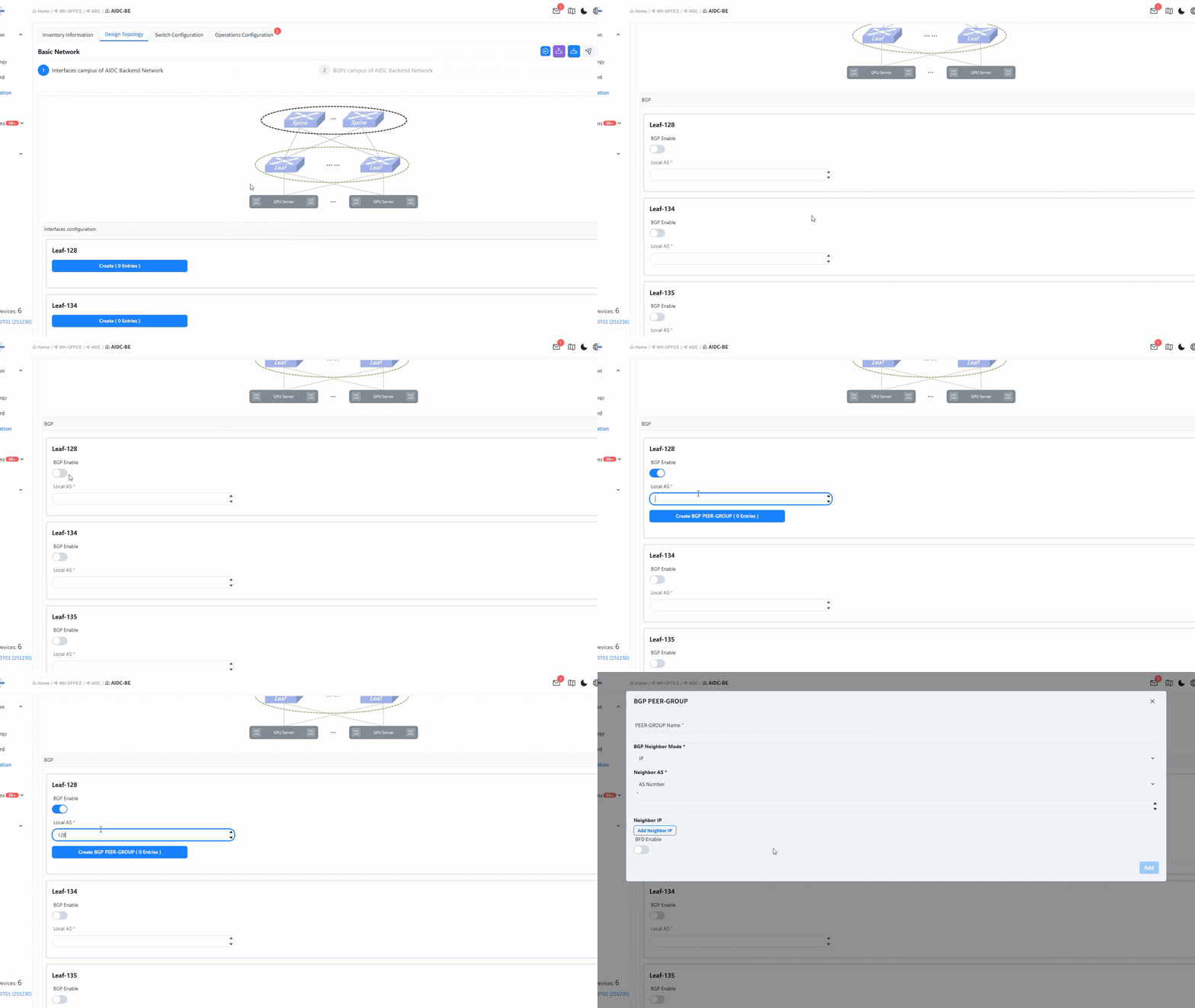
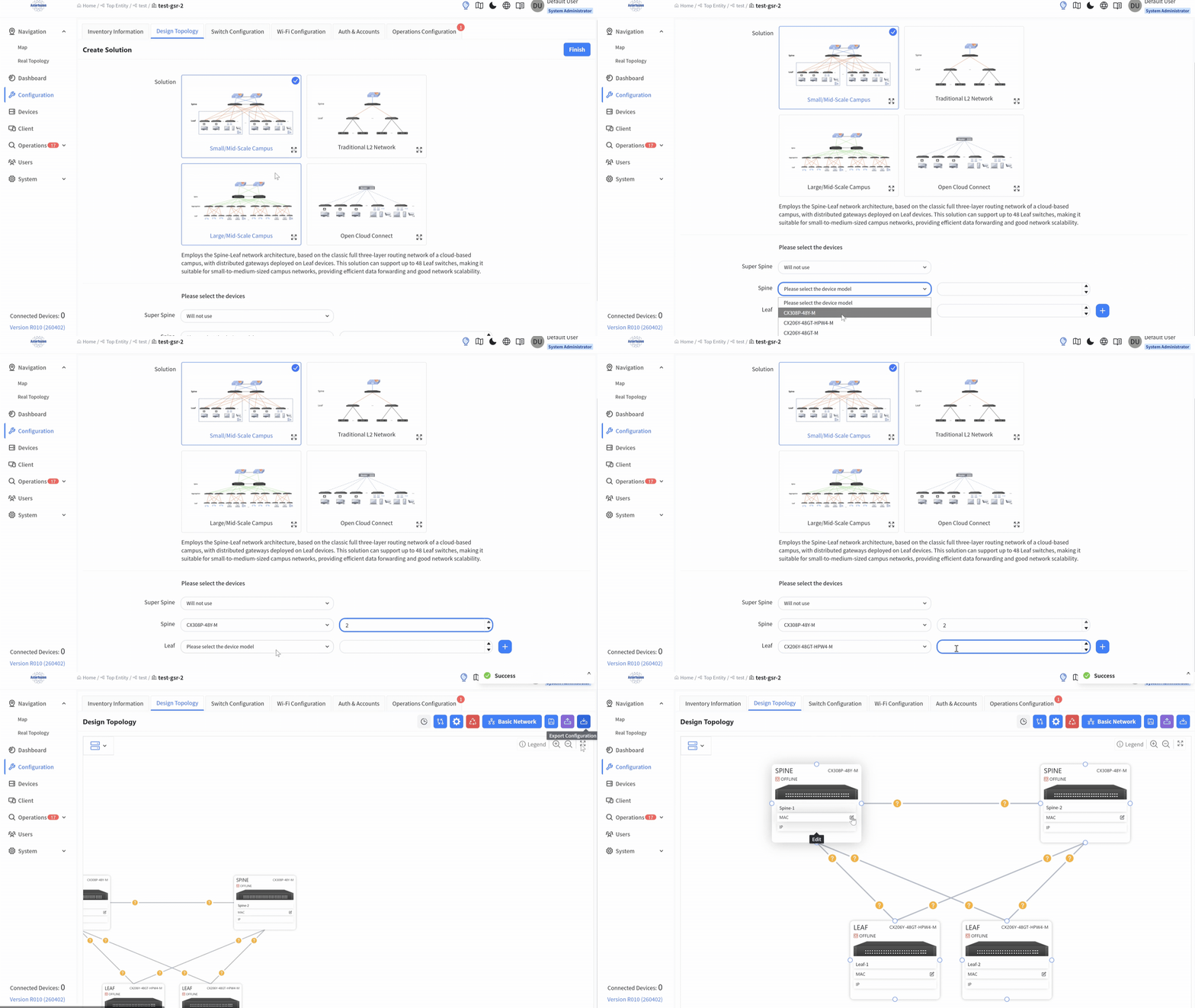
ZTP
- Basic network setup (IP, BGP, etc.)
- Batch import via CSV (RoCE, routing, ARS)
- Enable advanced AIDC features
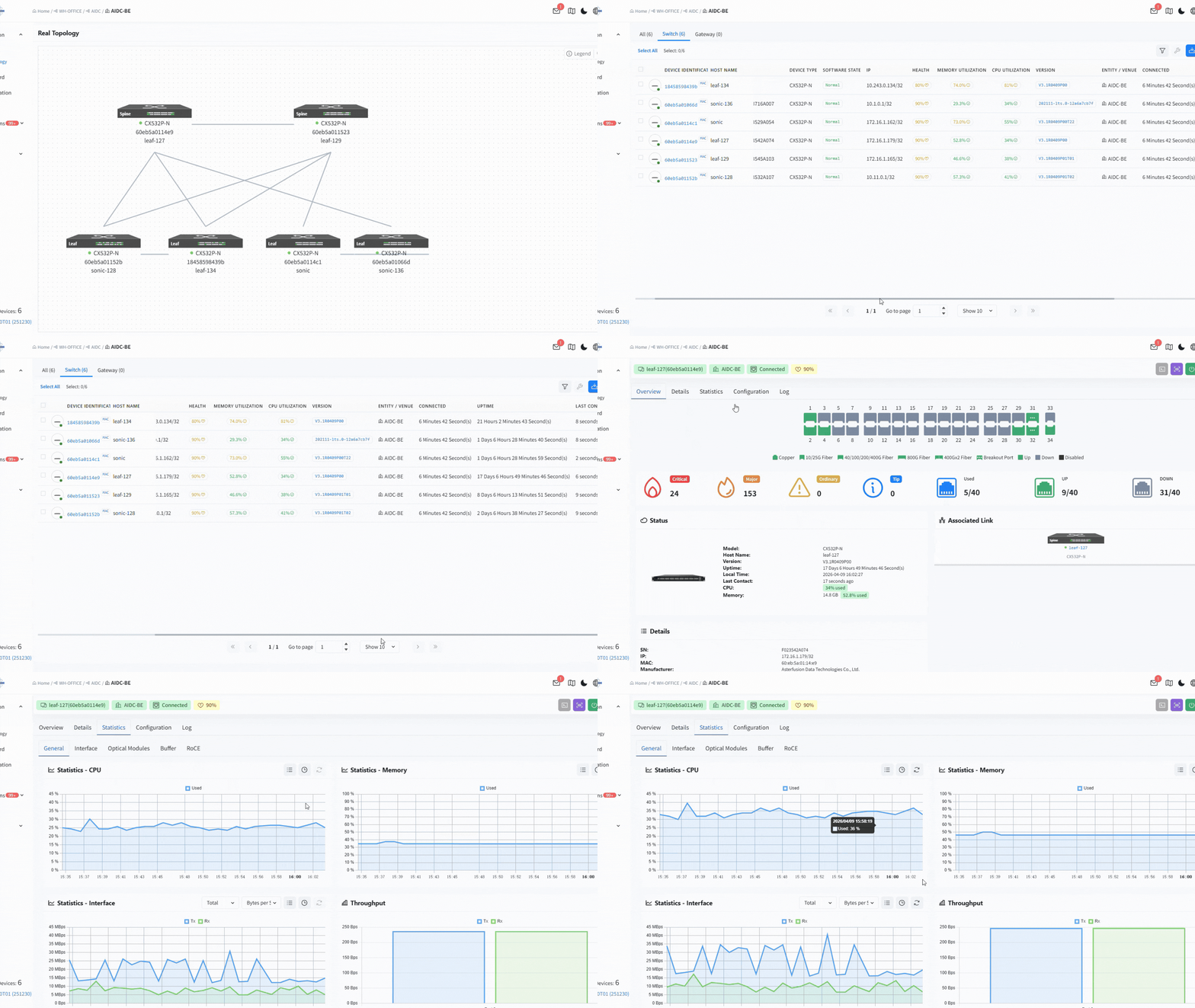
Multi-Dimensional Monitoring
- Network Health Dashboard
- In-depth Telemetry
- Traffic and Packet Loss Insights
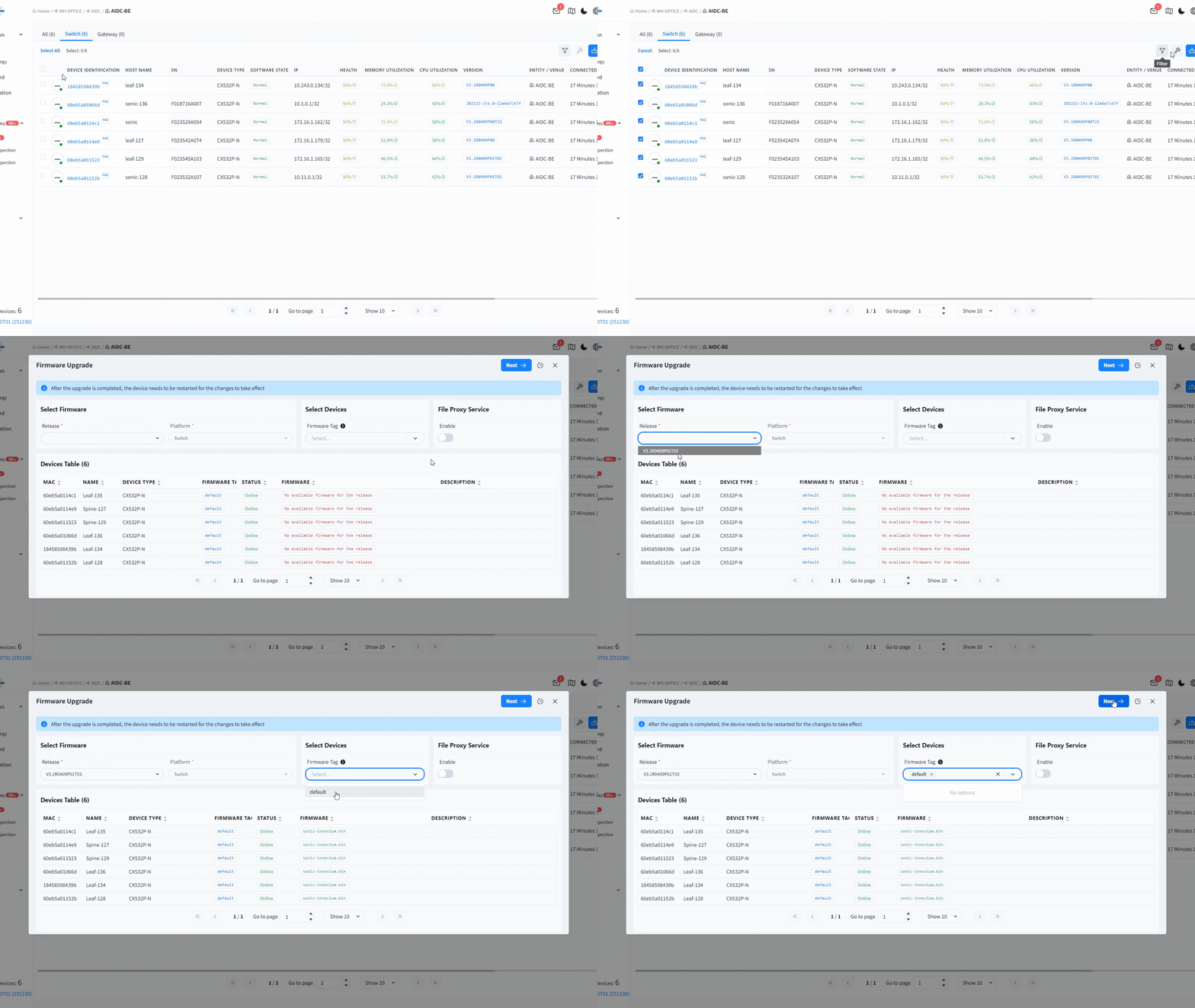
One-Click Updates
- Unified Firmware Management
- Incremental Patch Updates
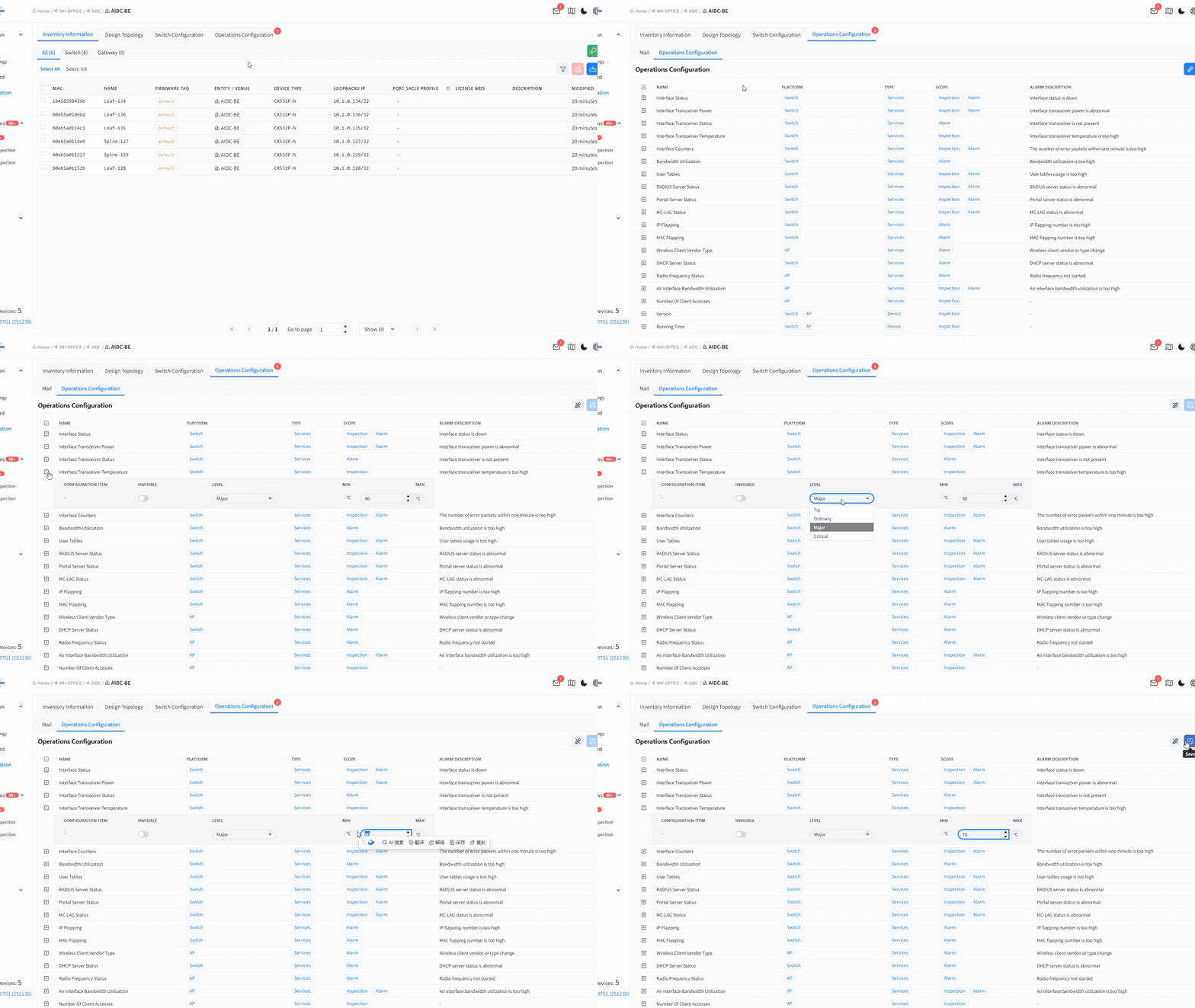
Intelligent Alarm
- Multi-Level Threshold Alerts
- Real-Time Remote Notifications
- Fault Lifecycle Management
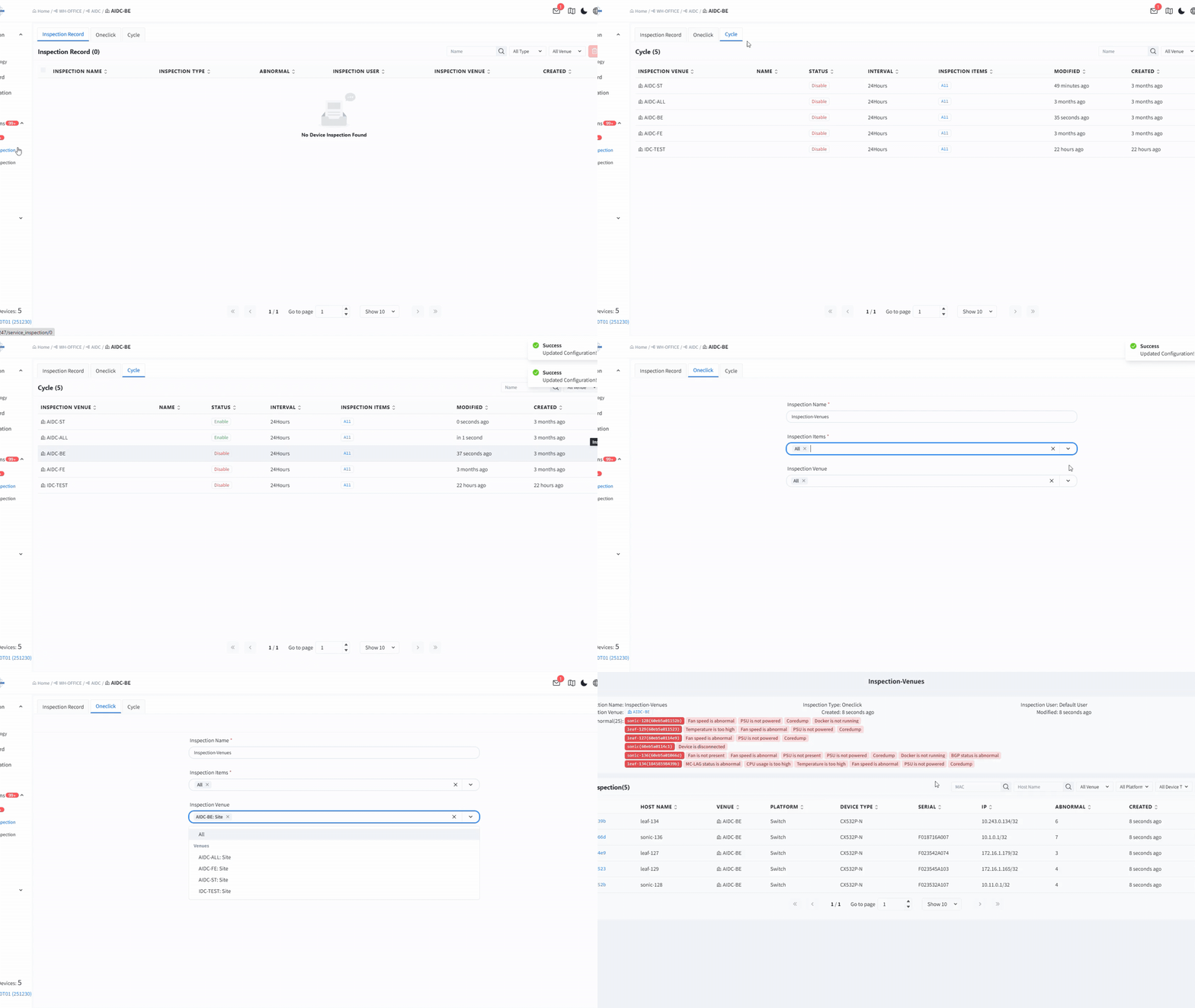
Periodic Inspection
- One-Click Service Inspection
- Scheduled Inspections
- Health Assessment Reports
AIDC Controller Supported Features
|
Frequently Asked Questions
What is the primary function of the AIDC Controller and its typical use cases?
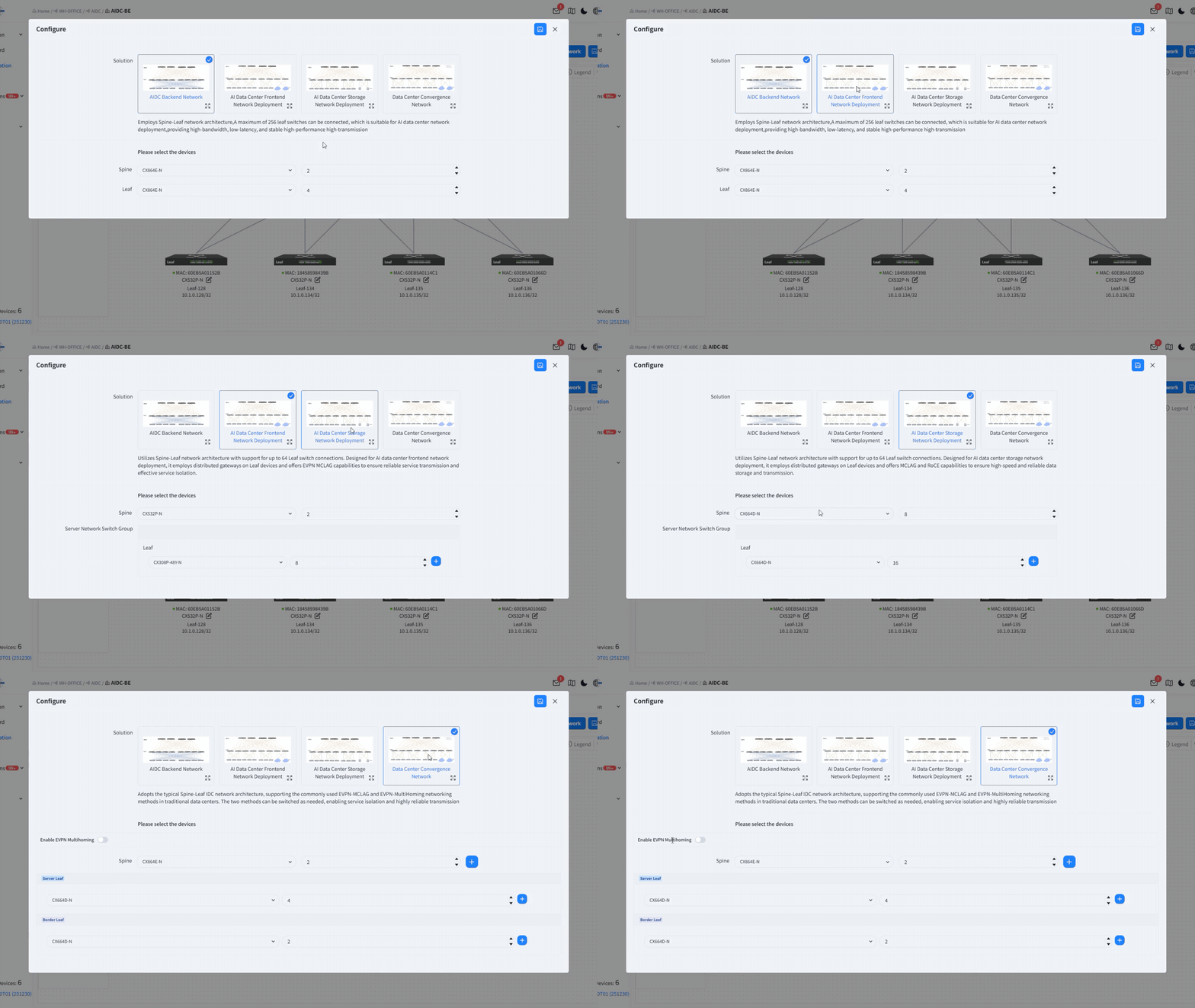
The AIDC Controller is a high-performance management platform designed for AI Data Centers. It automates deployment across four main scenarios:
-
Backend Network: High-bandwidth, low-latency Spine-Leaf architectures.
-
Frontend Network: Service isolation and reliability via EVPN-MCLAG.
-
Storage Network: Lossless data transfer using RoCE and MCLAG.
-
DC Convergence Network: Standard Spine-Leaf networking supporting both EVPN-MCLAG and EVPN-Multi-homing
What are the hardware requirements for the controller?
We recommend deploying on an x86 server running Ubuntu 18.04 LTS (or higher) with Docker 20+.
Asterfusion CX-N series switches natively support the deployment of this controller.
Is the deployment complicated? Does it support containers?
Not at all. It supports one-click installation and is fully containerized. Just upload the
.bin file to your server, run the installation command to set the Controller IP, and use docker-compose up -d to launch the full suite of microservices.
I have hundreds of switches. How do I add them to the controller quickly?
You can follow a simple two-step process:
-
Bulk Import: Upload an Excel/CSV template containing device MAC addresses, models, and Loopback IPs.
-
Auto-Onboarding: Automatically plan the topology for a selected scenario. Once all devices in the planned topology are online and connected, the controller will discover and identify them automatically.
Can I get immediate notifications if the network fails?
Yes. The controller features robust Alarm Management covering dozens of metrics, including:
-
Interface Up/Down status and Optical Power anomalies.
-
IP/MAC flapping.
-
Hardware issues (Fan/Power Supply failures).
Can the controller automate routine maintenance and inspections?
Yes. The “Automated Inspection” feature removes the need for manual checks:
-
Scheduled Inspections: Set tasks to run daily, weekly, or monthly. The system runs quietly in the background.
-
One-Click Health Checks: Instantly perform a deep “physical exam” on specific network areas.
-
Inspection Reports: Detailed records are generated automatically and can be exported as PDFs for your maintenance records.